Engineered by Dev Global Solutions, this extension injects fully qualified elements directly into the section of every OpenCart 4 page. It enables search engine crawlers to properly map translated and localized pages across different regions and languages, boosting international SEO performance and eliminating duplicate content signals.
Key Features & Capabilities
Automated Header Injection: Dynamically generates and inserts alternate hreflang link tags into the HTML head section across all storefront pages.
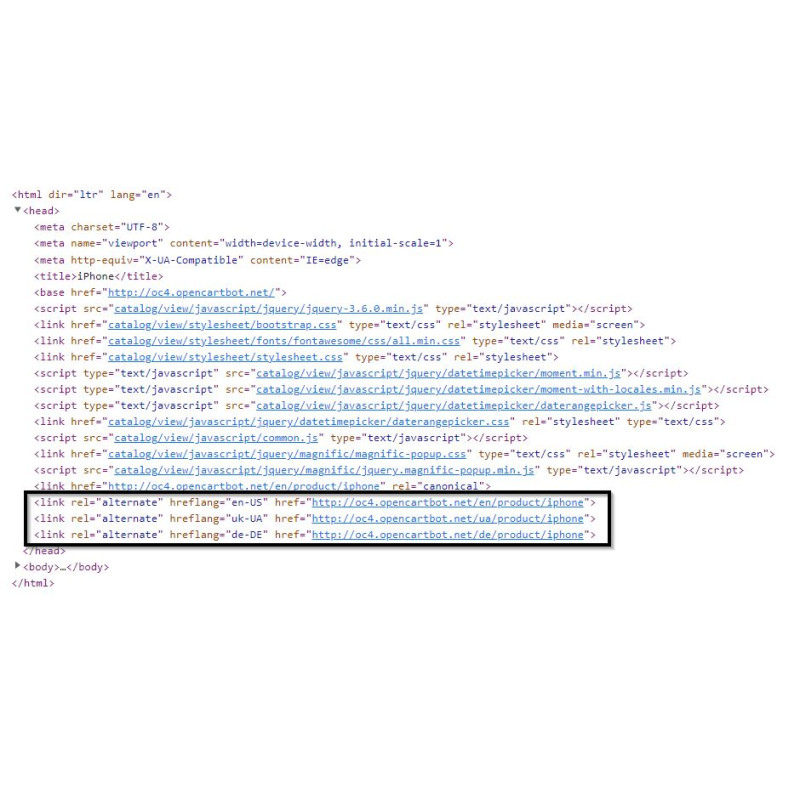
Custom Language & Region Targeting: Easily define precise ISO language codes (e.g., en, pl) or combined language-region targets (e.g., en-us, uk-ua) per storefront localization.
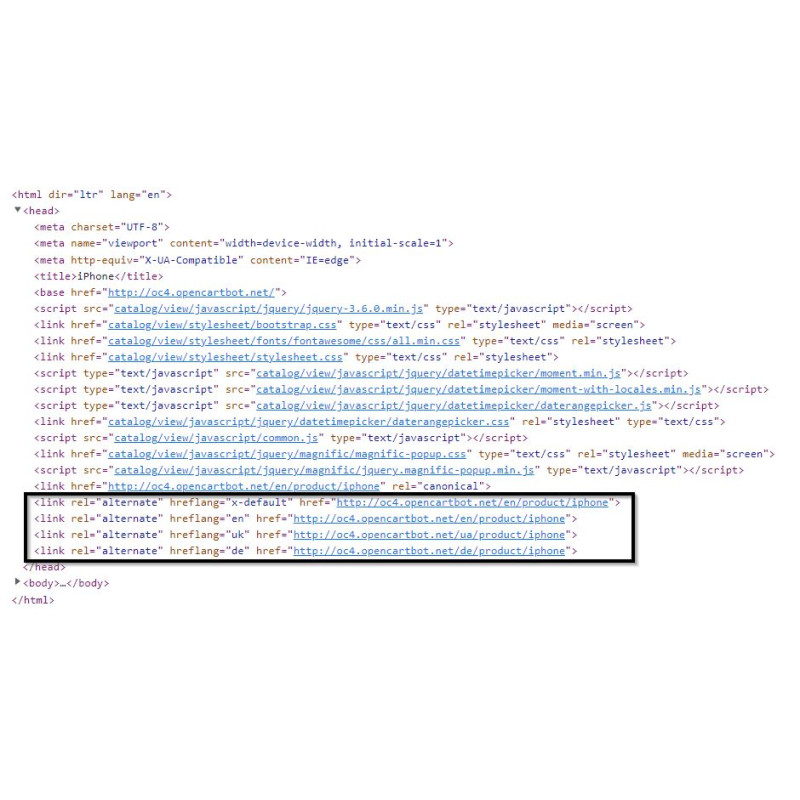
x-Default Fallback Configuration: Designate a primary default fallback URL using the x-default attribute to serve unmatched international browser locales.
Routing Agnostic: Native integration fetches URLs directly from OpenCart core routing rules, ensuring full compatibility with custom SEO URL structures.
OpenCart 4 Optimized: Built specifically to leverage OpenCart 4 extension architecture and event systems.
Generated Attribute Examples
Rendered Head Output
International SEO Tip: Always set an x-default fallback locale. This guarantees search engines direct global visitors to your primary store landing page if their specific language or region is not localized.
Installation Guide
Upload Extension Package
Navigate to Extensions → Install in your OpenCart 4 administration dashboard and upload the extension package.
Refresh Modification Cache
Go to Extensions → Modifications and click the Refresh button to clear cached modifications.
Clear Developer Template Cache
Open the main Dashboard, click the gear icon to open Developer Settings, and purge the Template Cache.
Enable Module
Navigate to Extensions → Extensions → Modules, locate Hreflang, and click Install.
Configure Target Locales & Save
Click Edit on the module. Toggle status to Enabled, enter your target language/region codes for each locale, select your x-default setting, and save.
Verify Page Source
Inspect your storefront page source to verify that the generated tags render properly within the HTML block.
Reviews
There are no reviews for this product.
Write a review
There are no reviews for this product, be the first to leave your review.