Additional Category Description for OpenCart 3
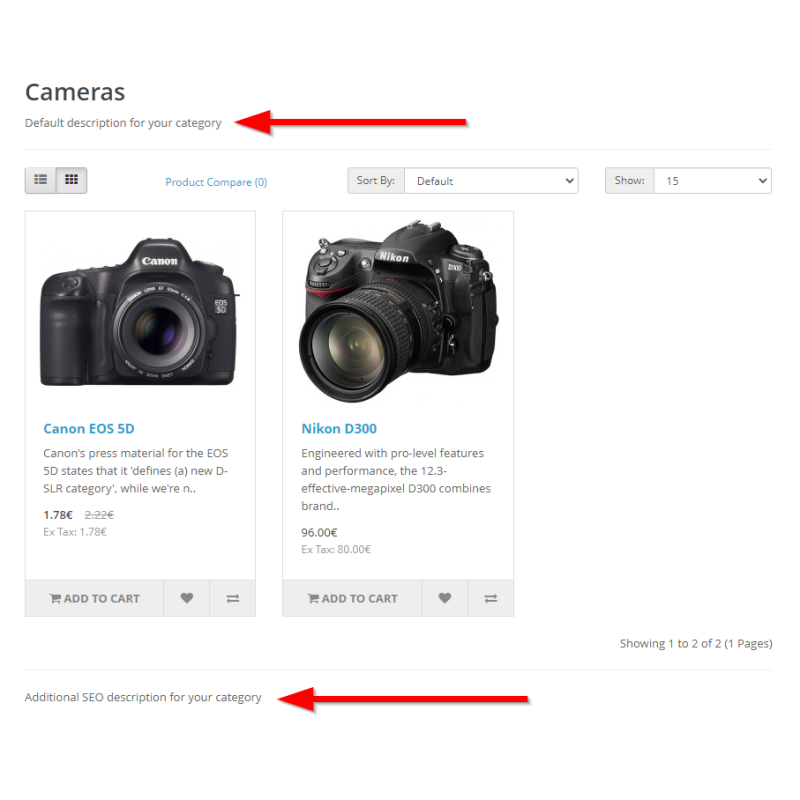
Engineered by Dev Global Solutions, this extension introduces an extra, multilingual text block to OpenCart 3 category pages. Place rich SEO copy, buyer guides, and expanded technical details at the bottom of category listings—below the product grid—without cluttering top-of-page introductory content.
Key Features & SEO Advantages
-
Dual Description Layout: Keeps brief introductory copy above the product catalog while adding a dedicated secondary text area beneath the product listings for long-form SEO content.
-
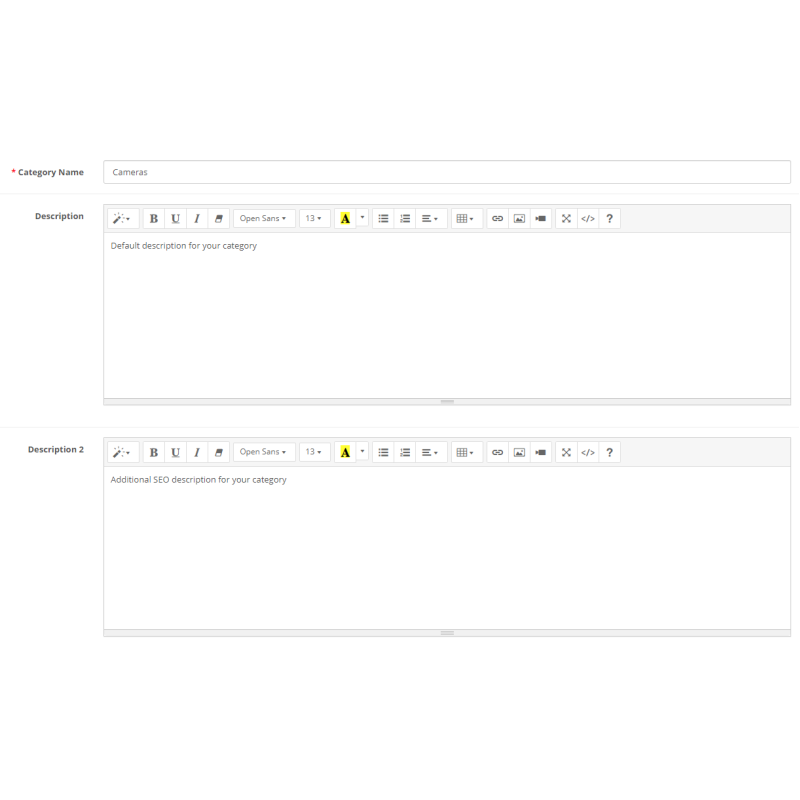
Multilingual Field Support: Native language tabs let you enter unique secondary category descriptions for every language active in your store.
-
Clean Database Operations: Uses OCMOD to automatically append a dedicated description2 TEXT column to the category_description table upon installation, removing it cleanly if uninstalled.
-
Improved Page Layout UX: Keeps high-priority product listings immediately visible to shoppers while providing search engine crawlers with deep keyword context further down the page.
-
WYSIWYG Integration: Features standard OpenCart rich text editor controls within category administration forms for effortless copy formatting and link insertion.
Database & Field Specifications
Technical Details
Target Table: category_description
Added Field: description2 (TEXT type)
OpenCart Compatibility: 3.x (OCMOD integration)
SEO Tip: Use the top description for quick 1-2 sentence brand introductions, reserving the bottom additional description field for long-tail keywords, Buying Guides, and category FAQ copy.
Installation Guide
-
Upload Package
Navigate to Extensions → Installer in your OpenCart 3 admin dashboard and upload the .ocmod.zip package file.
-
Refresh Modification Cache
Go to Extensions → Modifications and click the blue Refresh button in the top right corner.
-
Clear Developer Template Cache
Go to the main Dashboard, open Developer Settings (gear icon), and clear the Template Cache.
-
Enable Extension Module
Navigate to Extensions → Extensions → Modules, locate Category Additional Description, click Install, and set status to Enabled.
-
Populate Secondary Descriptions
Open any category form under Catalog → Categories, locate the new Description 2 editor field, enter your additional SEO text, and save.