Add Custom Rules & Text to Invoice Bottom for OpenCart
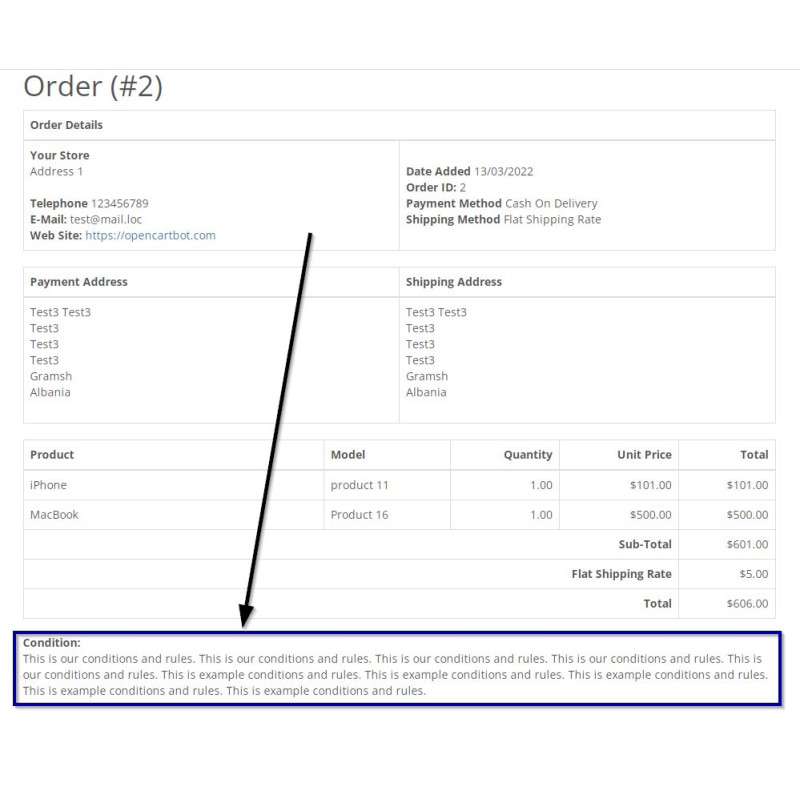
Engineered by Dev Global Solutions, this light OCMOD extension allows you to seamlessly attach supplementary information to standard OpenCart printable order invoices. Place legal disclosures, warranty policies, return guidelines, payment terms, or custom store instructions directly below the primary invoice layout.
Key Features & Capabilities
-
Full Rich Text & HTML Support: Insert styled plain text, custom HTML markup, tables, or formatted lists directly into the invoice footer.
-
Native Store Integration: Integrates directly into native OpenCart store settings without modifying core files or altering existing PDF/print frameworks.
-
Flexible Customization: Ideal for attaching legal disclaimers, tax details, return policies, or branded signature blocks for customer orders.
Installation Guide
-
Upload Package
Go to Extensions → Installer in your OpenCart admin dashboard and upload the .ocmod.zip archive file.
-
Refresh Modification Cache
Navigate to Extensions → Modifications and click the blue Refresh button in the top right corner.
-
Clear Template Cache
Go to the main Dashboard, click the blue gear icon (Developer Settings), and refresh the Template Cache.
-
Configure Invoice Content
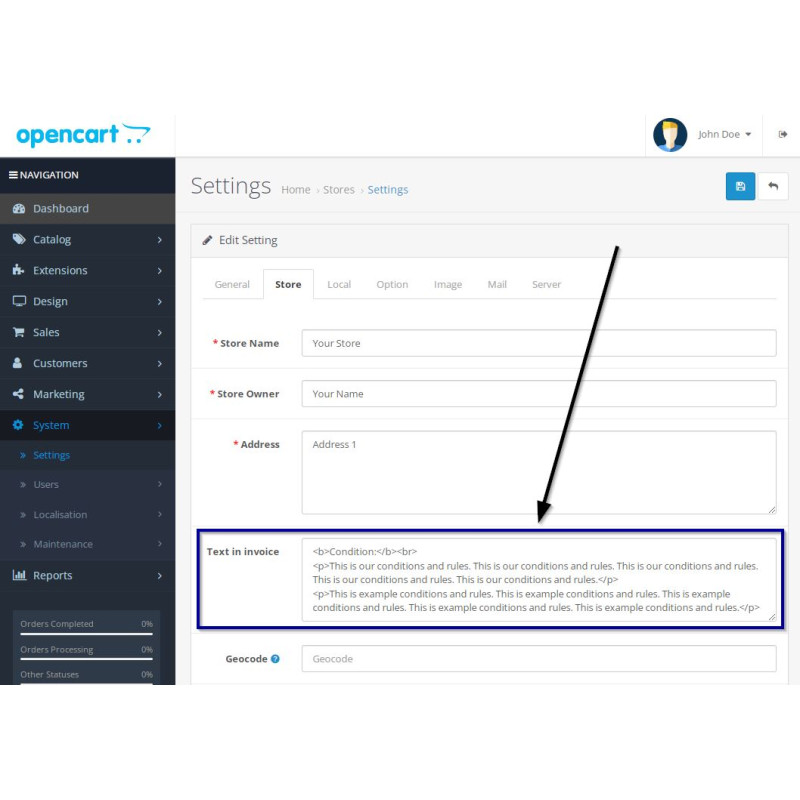
Navigate to System → Settings → Edit Store, select the Store tab, and fill out the newly added Text in invoice field with your custom rules or HTML code.
-
Verify Invoice Output
Open any order print preview within Sales → Orders to verify that your custom text renders properly at the bottom of the invoice.