SEO FAQ with Microdata Schema for OpenCart
Engineered by Dev Global Solutions, the SEO FAQ module adds rich Q&A sections equipped with structured JSON-LD FAQPage microdata to your OpenCart store. Maximize click-through rates in Google search results with expanded rich snippets, while serving targeted answers across product pages, category listings, and manufacturer hubs.
Key Features & Functional Highlights
-
Structured FAQPage Microdata: Automatically injects valid Schema.org FAQPage markup to trigger eye-catching accordion snippets directly in search engine results.
-
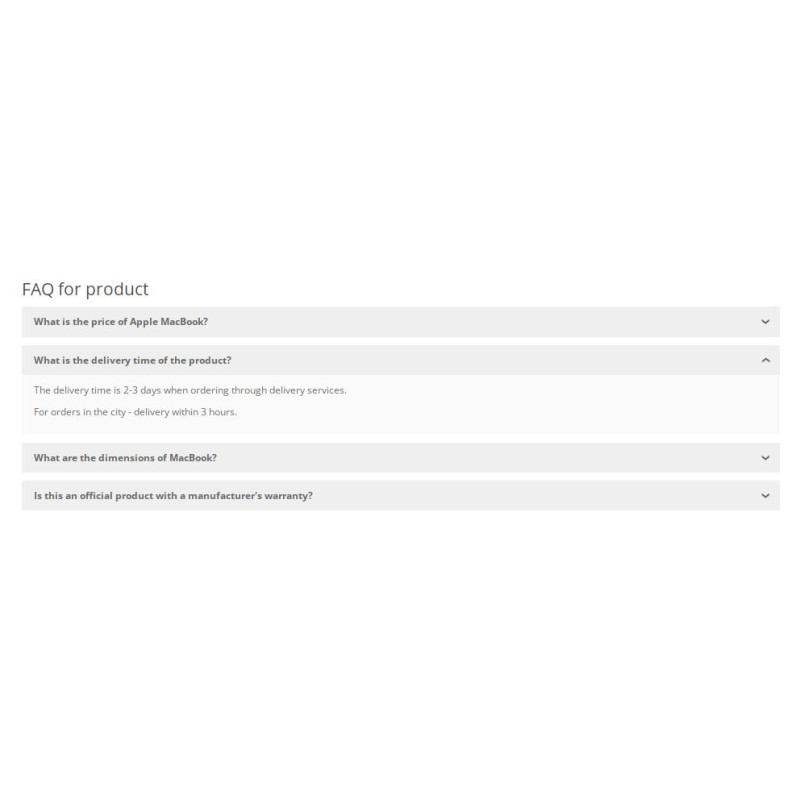
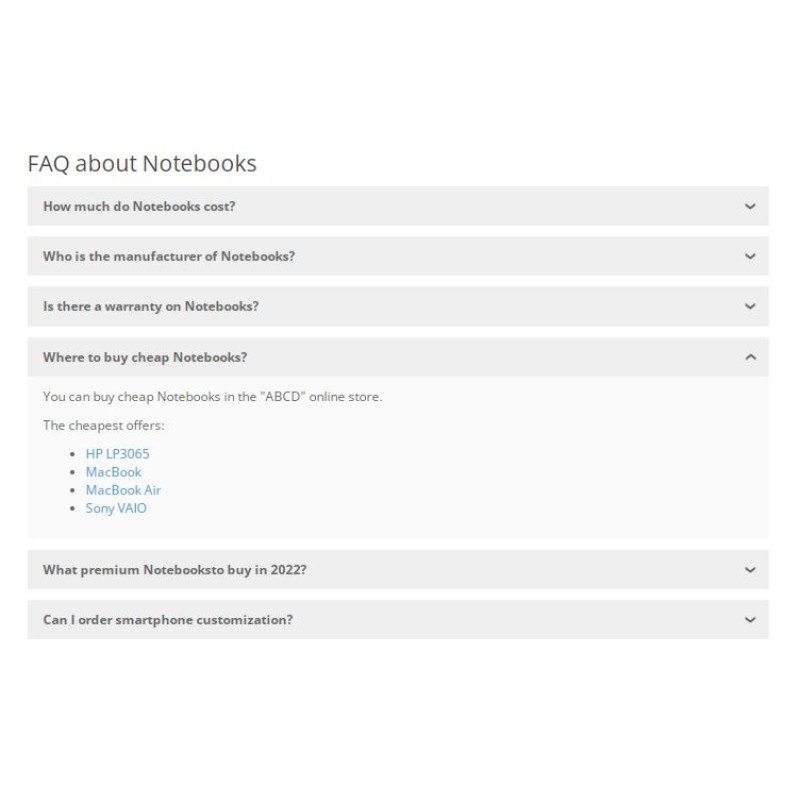
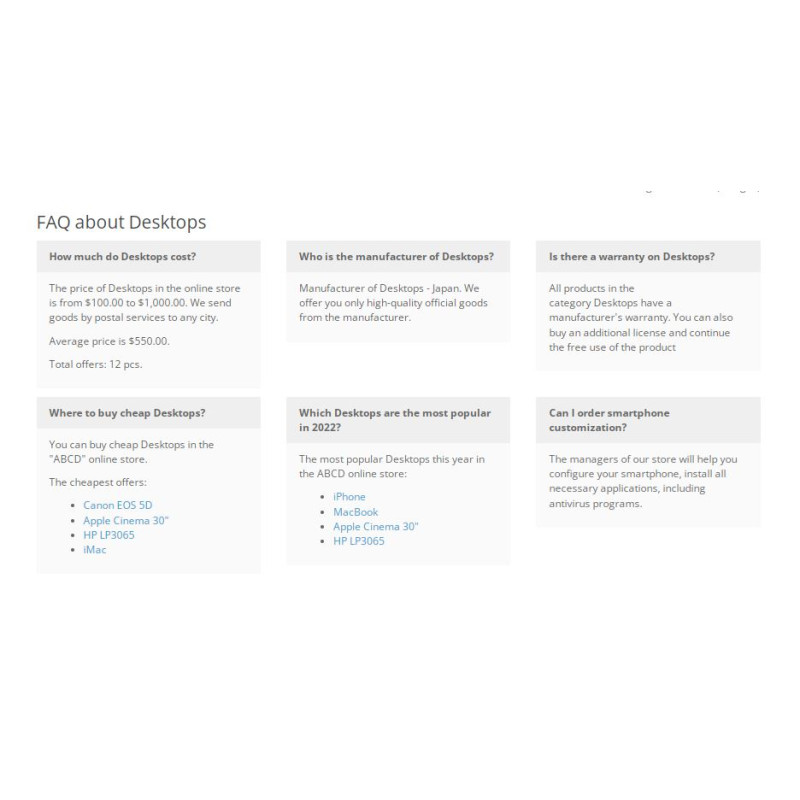
3 Presentation Layouts: Choose between interactive Bootstrap Accordion, structured Grid layout, or clean Plain Text rendering to fit your theme design.
-
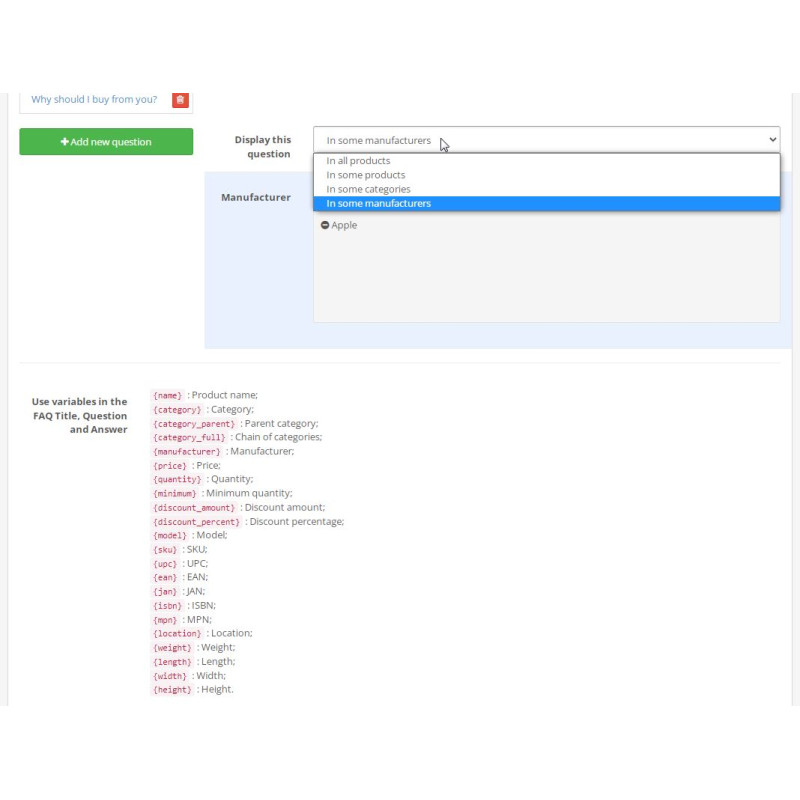
Flexible Page Mapping: Assign dedicated or global FAQ blocks to specific products, entire categories, selected brand pages, or broad store sections.
-
Dynamic Product Injection: Automatically insert live product blocks inside answers, showcasing cheapest, most expensive, latest, top-rated, special, or random inventory links.
-
Smart Variable Templates: Automate Q&A generation using dynamic variable replacements within question and answer fields.
-
Intuitive Drag & Drop Ordering: Easily reorder questions using administrative drag-and-drop controls.
-
Full Localization & Compatibility: Supports multi-language setups natively and operates seamlessly with modern OpenCart themes, including Journal 3.
Display Layout Styles
Available Render Templates
Accordion: Interactive collapsible list (ideal for detailed product cards)
Grid: Multi-column Bootstrap grid (perfect for category & brand landing pages)
Plain Text: Clean list format for minimal layout footprints
SEO Advantage: Google search results can display embedded links and product highlights provided inside your FAQPage schema, driving high-intent search traffic straight to targeted products.
Installation Guide
-
Upload Extension Package
Navigate to Extensions → Installer in your OpenCart admin area and upload the .ocmod.zip file.
-
Refresh Modification Cache
Go to Extensions → Modifications and click the blue Refresh button in the top right corner.
-
Clear Template Cache
Access the main Dashboard, open Developer Settings (gear icon), and clear the Template Cache.
-
Enable Extension Module
Go to Extensions → Extensions → Modules, locate SEO FAQ with Microdata, and click Install.
-
Configure & Map FAQs
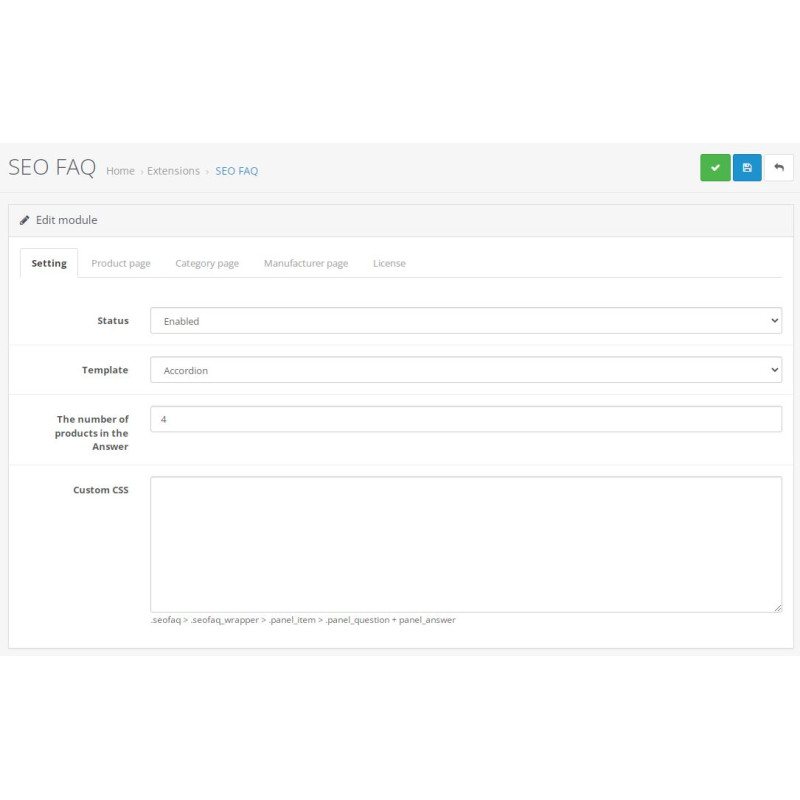
Click Edit on the module. Enable status, set your default output template (Accordion/Grid/Text), create Q&A sets, assign them to target categories or products, and save.
-
Verify Structured Data Markup
Inspect storefront pages using Google's Rich Results Test tool to confirm accurate FAQPage schema output.