Automatic SEO & Meta Tags Generator for OpenCart
Engineered by Dev Global Solutions, Auto SEO Tags delivers on-the-fly meta tag generation and advanced indexing control across your entire OpenCart catalog. Automate your store's primary search engine optimization using flexible dynamic templates, canonical URL enforcement, granular meta robots directives, and automated HTTP 404 response handling for duplicate system pages.
Key Features & Functional Highlights
-
Dynamic Template Generator: Automatically generate meta titles, meta descriptions, H1 headings, and SEO text blocks "on the fly" for all products, categories, brands, specials, and information pages, including newly added catalog items.
-
Flexible Generation Rules: Configure the engine to populate metadata conditionally (filling empty fields only) or forcefully override manually entered meta tags across your catalog.
-
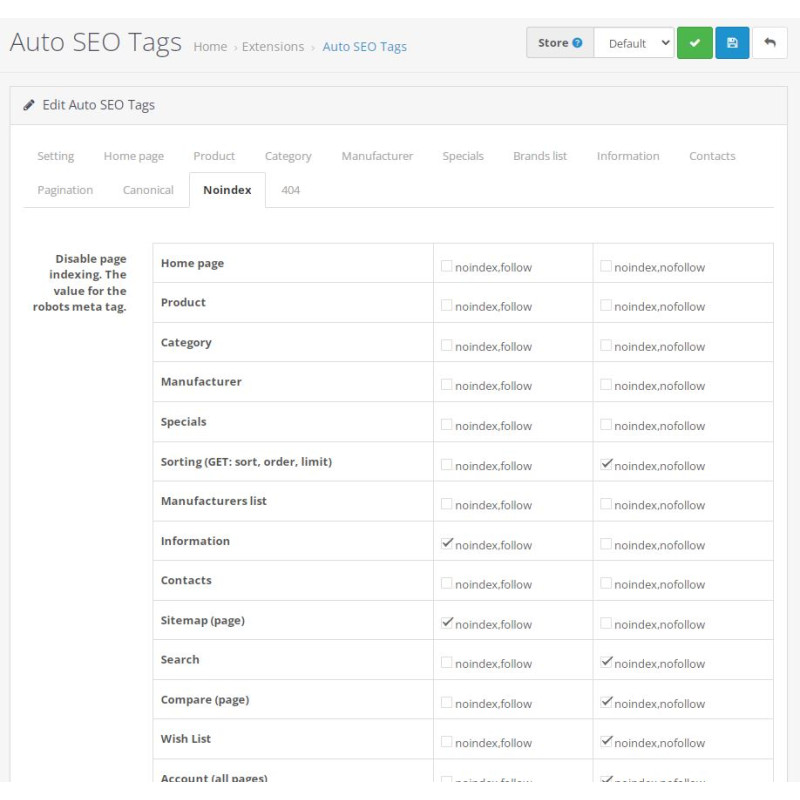
Robots & Indexing Management: Take complete command of indexing instructions using custom noindex, follow, and nofollow parameters for technical store routes.
-
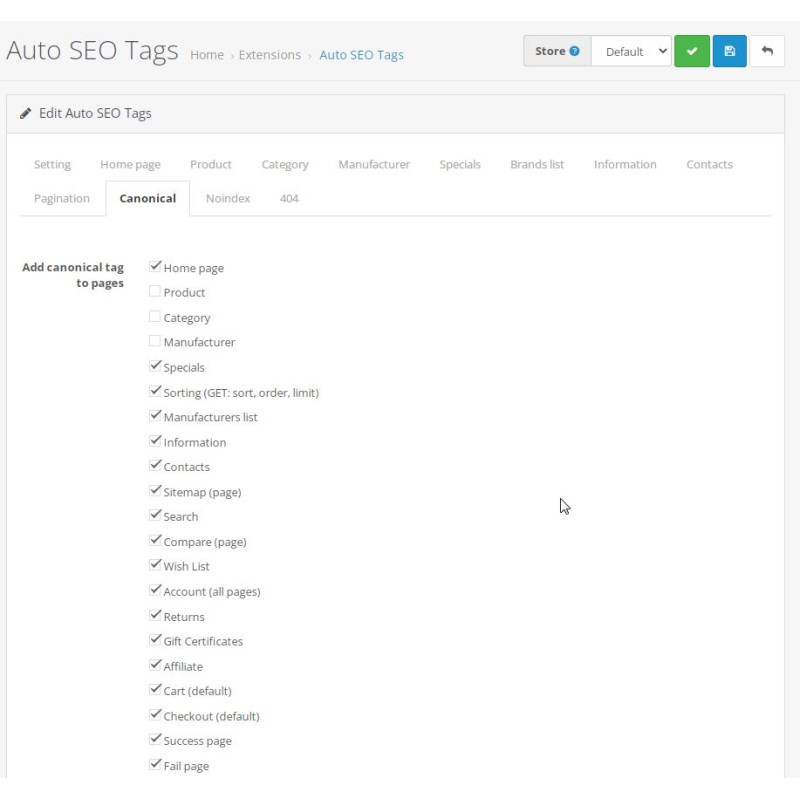
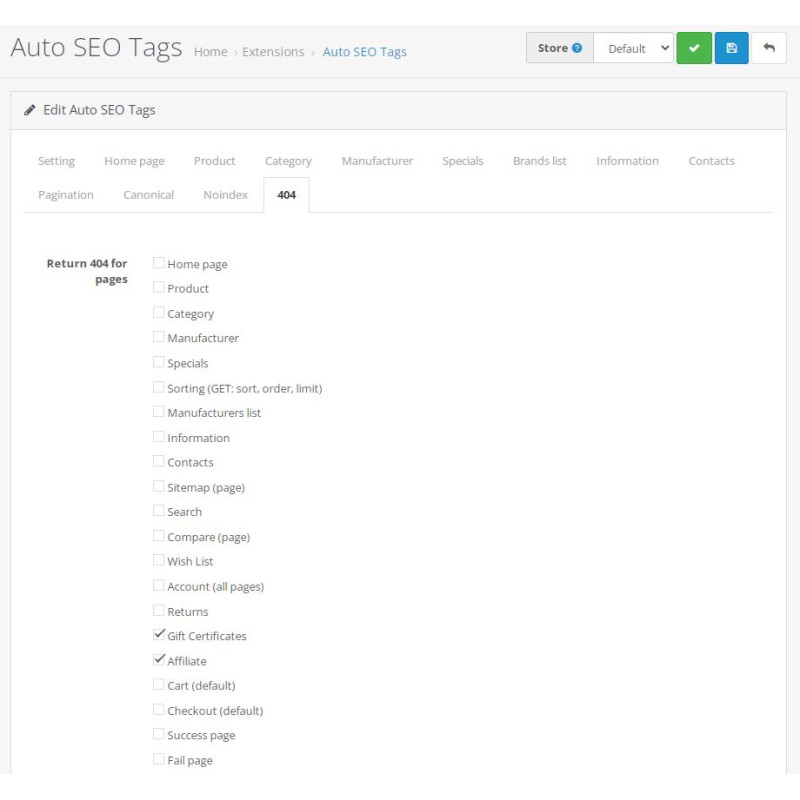
Canonical Links & 404 Handling: Prevent duplicate content issues by deploying accurate rel="canonical" tags across standard layouts or instantly blocking non-essential system pages with true 404 HTTP headers.
-
Smart Pagination Meta Tags: Automatically inject page-number modifiers (e.g., using {num}) into paginated categories, brand pages, and special promotion lists to eliminate duplicate meta issues.
-
Multi-Language & Multi-Store Native: Set separate meta rules, static homepage content, and localized patterns for every language and store front configured in your ecosystem.
Supported Template Variables
Product Page Variables
{name}, {description}, {category}, {category_parent}, {category_full}, {manufacturer}, {price}, {quantity}, {minimum}, {discount_amount}, {discount_percent}, {model}, {sku}, {upc}, {ean}, {jan}, {isbn}, {mpn}, {location}
Category & Manufacturer Variables
Category: {name}, {category_parent}, {category_full}, {description}, {count_products}, {min_price}, {max_price}
Manufacturer: {name}, {count_products}, {min_price}, {max_price}
Specials, Information & Pagination Variables
Specials: {count_products}
Information: {name}, {description}
Pagination Modifier: {num}
Optimization Tip: Combining dynamic template generation with strict canonical URL rules ensures rapid indexing of newly published products while keeping search engines focused on high-priority store routes.
Installation Guide
-
Upload Package
Navigate to Extensions → Installer in your OpenCart admin area and upload the .ocmod.zip file.
-
Refresh Modification Cache
Go to Extensions → Modifications and click the blue Refresh button in the top right corner.
-
Clear Template Cache
Access the main Dashboard, open Developer Settings (gear icon), and clear the Template Cache.
-
Enable Module
Go to Extensions → Extensions → Modules, locate Auto SEO Tags, and click Install.
-
Configure Templates & Indexing Rules
Click Edit on the module. Enable the status, set your title/description pattern templates for products and categories, configure canonical and robots rules, and save your settings.
-
Verify Page Markup
Inspect your storefront pages using browser developer tools to verify generated meta elements, H1 tags, and canonical HTTP links.